Connect one network at a time
Threads and Pinterest sit beside your other social accounts. Connect one, verify Connected, then start the other so workspace mapping stays clear.
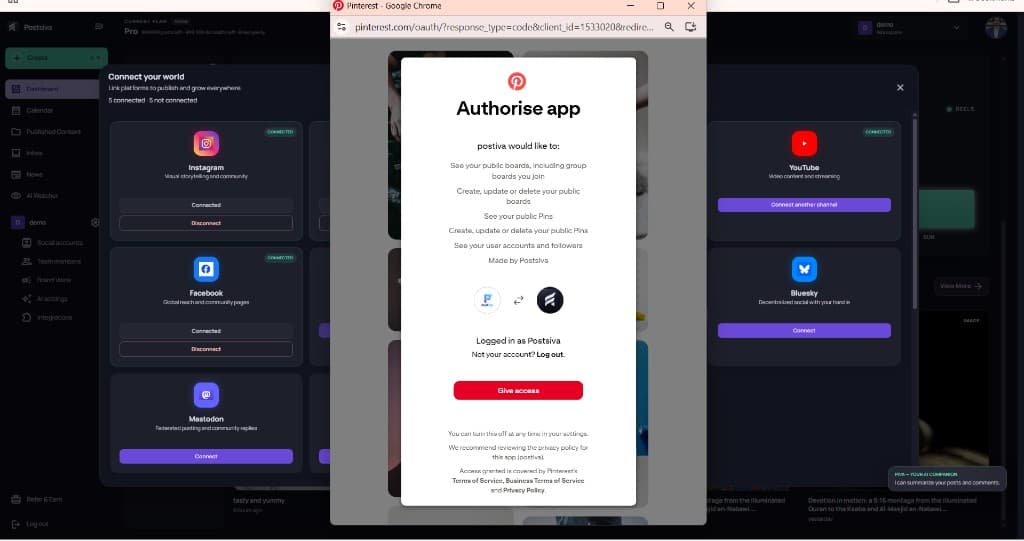
Pinterest: authorize the app
Select Connect on Pinterest. On Authorise app, review what postiva would like to do (boards, Pins, and account access), then select Give access.
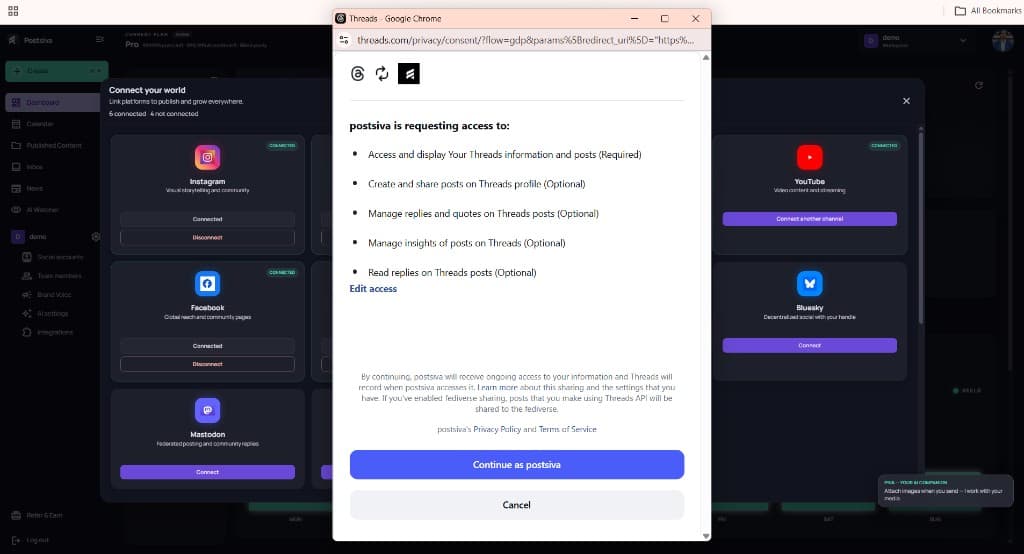
Threads: continue as your profile
Select Connect on Threads. Review the access postsiva is requesting, then select Continue as your Threads profile.
Threads: edit optional access
If you open Edit requested access, keep required profile access on. Turn on optional items you need (create posts, manage replies, insights), then continue.
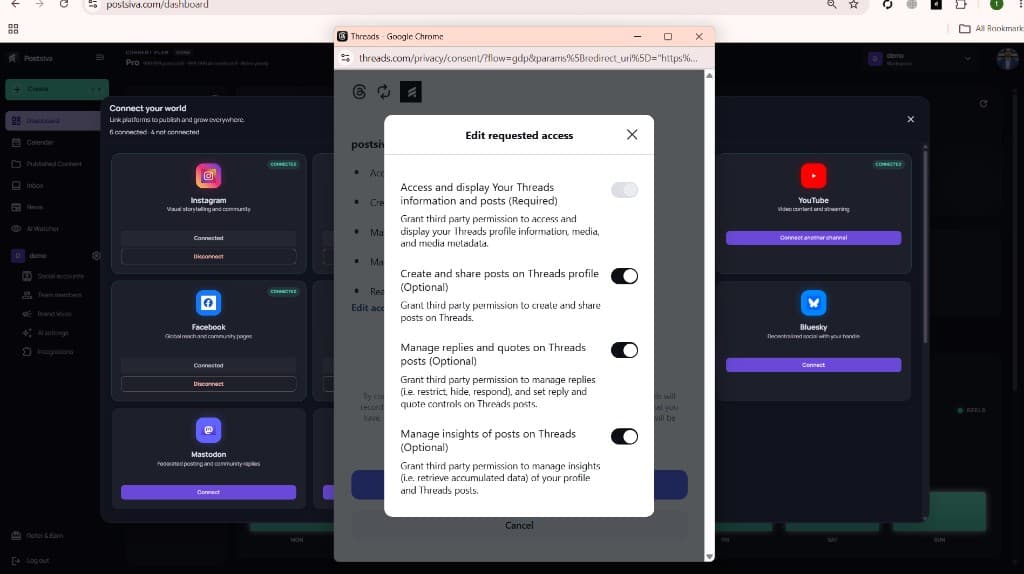
Denying create/share access means Postsiva cannot publish to Threads even if the account appears connected.
Confirm both are connected
- Pinterest and Threads should each show Connected in Connect your world.
- Open Social accounts to see Active status and disconnect if needed.
- Reconnect from the correct workspace if an account lands in the wrong place.