Use an app password
Bluesky connects with an app password so you do not share your main account password. Generate one in Bluesky settings before you continue.
1. Open Bluesky connect
In Connect your world, select Connect on Bluesky. The Bluesky App Password dialog opens.
2. Enter handle and app password
Enter your Bluesky handle, paste the app password, then select Connect. Use Generate app password in Bluesky if you still need to create one.
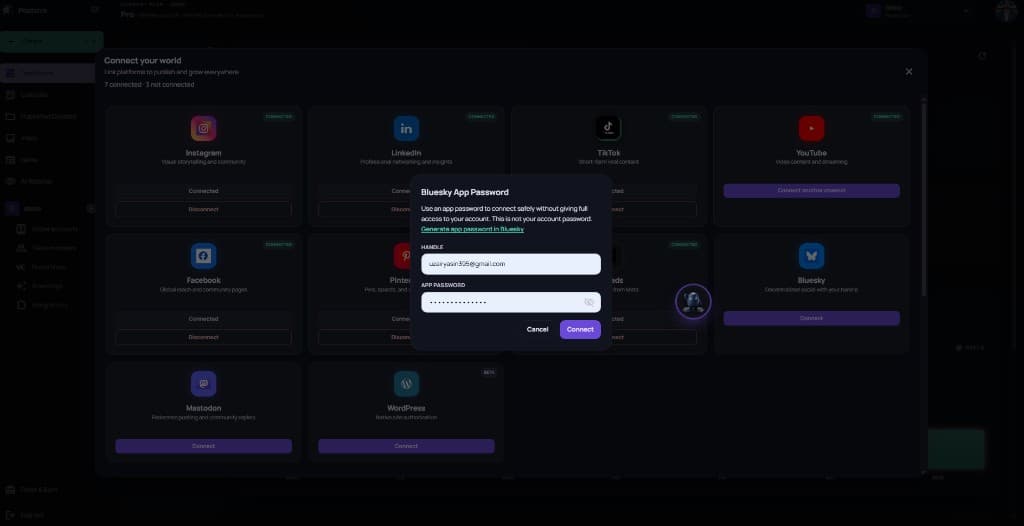
This is not your Bluesky account password. If connect fails, revoke the old app password and generate a new one.
3. Confirm Bluesky is connected
When the dialog closes, Bluesky should show Connected. You can Disconnect anytime from the same card.