Why workspace discipline matters
Most cross-brand mistakes happen because the wrong workspace stays active. Good workspace hygiene protects calendars, accounts, and approvals.
Create another workspace anytime
Open the workspace selector in the top-right header, then choose + Create workspace and name the new environment.
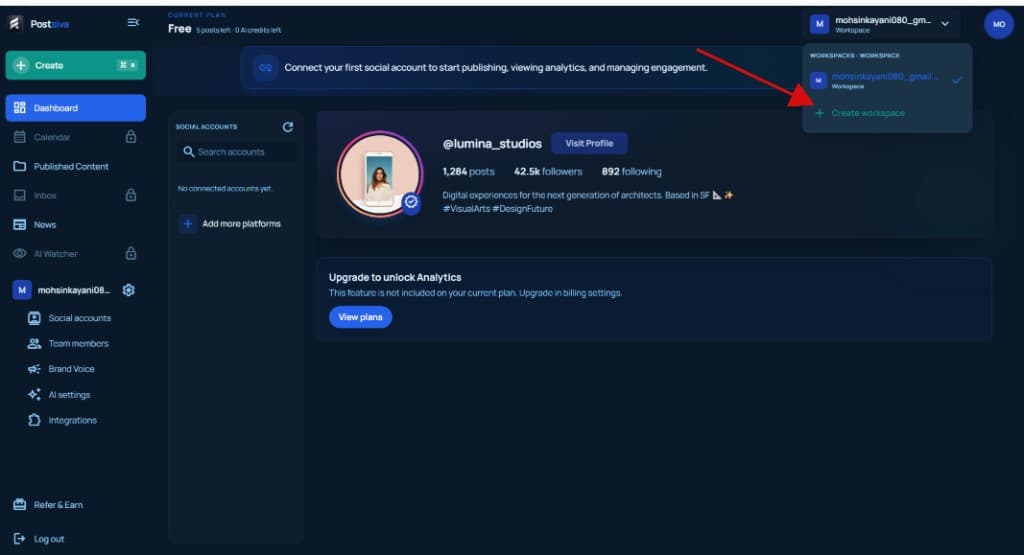
For the full create flow with screenshots, see Start your first Postsiva workspace under Getting started.
Recommended structure
- One workspace per brand or client.
- Invite only the people who need access to that workspace.
- Confirm the active workspace before connecting accounts or scheduling content.