One dashboard for every channel
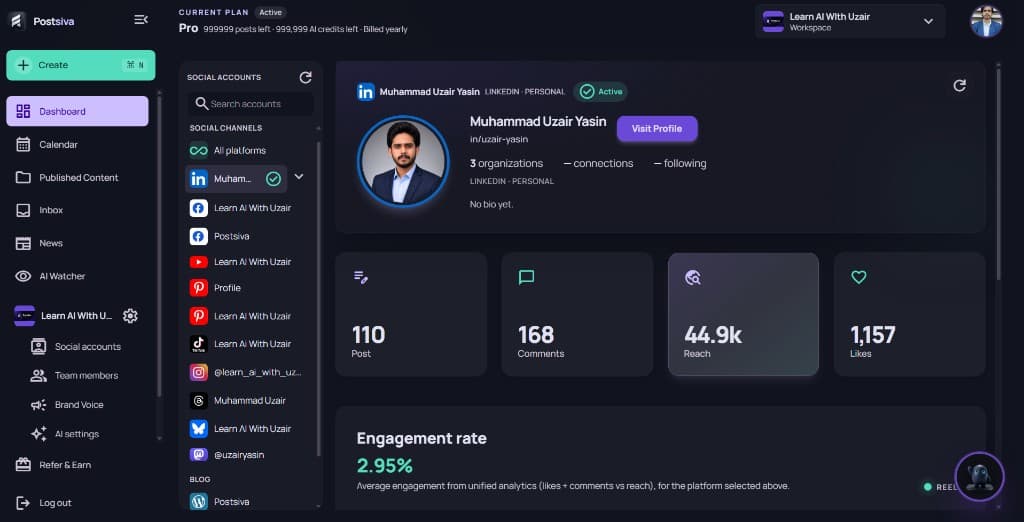
Dashboard is the home view for your workspace. The social accounts column lists All platforms and each connected channel. Select a channel to see profile details and unified analytics for that account.
What you can do here
- Switch channels — pick All platforms or a single LinkedIn, Instagram, YouTube, and other connected accounts.
- Confirm Active status — see the profile, Visit Profile, and org/connection stats when available.
- Read analytics — Post, Comments, Reach, Likes, and Engagement rate from unified analytics for the selected platform.
- Jump to Create — use + Create anytime to open the unified composer.
Analytics and some nav items depend on your plan. Free may show upgrade prompts instead of full metrics — see Billing and plans.